
E-commerce is the buying and selling of goods and services over the internet. A customer can place an order on a website, in an app or on a marketplace, and pay online or on delivery. For a business, it is a system made up of a catalog, payments, delivery, marketing and support. Let’s look at its models and the practical steps to launch an online store in Ukraine.
At Luxsite, we work with online stores every day: we promote them in search, run ads and improve their websites. So this article is not textbook theory but what we see on projects of Ukrainian business owners. If you need help with promotion, you can learn about our approaches and rates for online store marketing on our website.
In Brief
- E-commerce (electronic commerce) covers any sale made online: your own website, a marketplace, social media, a messenger or an app.
- The main models are B2C, B2B, C2C and D2C. Additional formats include dropshipping, m-commerce and social commerce.
- A marketplace gives you a quick start and traffic, while your own website gives you control over the brand, data and margin. Strong businesses combine both.
- A launch takes 8–9 steps: from choosing a niche and model to analytics and customer service. Beginners most often go wrong not with technology but with unit economics.
- According to Promodo, Ukrainian e-commerce maintained positive momentum: in the first half of 2026, revenue grew in 6 of the 7 product categories analyzed. The most noticeable growth was in electronics (+56%), auto goods (+25%) and food (+22%). At the same time, these figures reflect the results of the stores included in the study, not the entire Ukrainian market.
Contents
- What e-commerce is in simple terms
- Types and models of e-commerce
- How e-commerce works: from storefront to delivery
- Advantages and disadvantages of e-commerce for business
- How to launch an online store: a step-by-step plan
- How to attract traffic in e-commerce
- E-commerce trends 2026
- Common beginner mistakes in e-commerce
- Online store launch checklist
- LuxSite experience: how SEO and advertising help increase e-commerce sales
- Conclusion
- FAQ: frequently asked questions about e-commerce
What E-commerce Is in Simple Terms
E-commerce (short for electronic commerce) is online trade in which the buyer and seller make a deal over the internet. For example, ordering clothes on Rozetka, buying tickets in an app or paying for an online course. The product may be physical, while a service or digital product may become available immediately after payment.
Electronic commerce covers the entire online sales process: from presenting a product to placing an order, payment and customer service. To do this, a business uses several interconnected tools:
- Online storefront: a website, marketplace, mobile app or social media page.
- Product catalog: photos, descriptions, specifications, prices and availability information.
- Checkout: a cart, contact form and choice of delivery method.
- Payment and logistics: payment services, inventory management, delivery and returns.
- Customer support: consultations, handling requests and post-purchase communication.
All these elements affect sales results. Even with a steady flow of visitors, a store can lose orders because of an inconvenient checkout, limited payment options or unclear delivery terms.
Spelling: e-commerce, ecommerce, e commerce
You may come across the spellings e-commerce, ecommerce and e commerce. They all mean the same thing. We use the hyphenated form because it is searched more often in Ukraine. Alternative terms are electronic commerce or online trade. In documents and on your website, choose one option and stick to it.
How E-commerce Differs from E-business
These terms are often confused, but they differ in scope.
E-business is a broader concept that covers the use of digital technologies to run a company: sales, finance, procurement, document management and interaction with partners. E-commerce is only the part of it that concerns buying and selling.
Example. A furniture factory keeps records in a cloud CRM, signs documents with Diia.Signature and sells kitchens in its own online store. All of this together is e-business, while only selling kitchens on the website is e-commerce.
| Feature | E-commerce | E-business |
|---|---|---|
| What it covers | Buying and selling online | All business processes in a digital environment |
| Key action | A deal: order + payment | Running the company, interacting with partners |
| Example | Online store, marketplace, online booking | CRM, ERP, online procurement, document management |
| Success metric | Conversion rate, average order value, revenue | Process efficiency, speed, cost |
So online trade is part of a company’s digital activity, but e-business is not limited to selling online.
A Brief History and the State of the Ukrainian Market
E-commerce began to develop actively in the 1990s. The launch of Amazon and eBay in 1995 accelerated the spread of online shopping. In Ukraine, the industry gained momentum in the 2000s along with the growth of Rozetka, payment services and delivery companies. The 2020 pandemic accelerated the shift of businesses online, and after the start of the full-scale invasion, online sales helped many companies stay in touch with customers and keep operating.
According to Promodo, a Ukrainian digital marketing agency, the online retail market showed the following trends in 2025–2026:
- 2025. In December, transaction volume grew by about 12%, compared with almost 35% a year earlier. Seasonal growth slowed down.
- First half of 2026. Revenue increased in 6 of the 7 product categories studied. The largest growth was in electronics (+56%), auto goods (+25%) and food (+22%).
- Autumn 2026. In August–September, the average order value grew by 41% in electronics, 23% in auto goods and 15% in food and alcohol. At the same time, the number of purchases in the grocery segment fell by 10%.
- Changes in demand. Dynamics depend on the product category: in some segments the number of orders grows, in others it is mainly the average order value. Seasonality remains, in particular higher demand for certain goods before holidays and during sales.
The data cover a sample of Ukrainian online stores, not the country’s entire market.
It is important for a business to track not only revenue but also the number of orders, average order value, conversion rate and repeat purchases. Comparing these indicators for the same periods helps assess real demand, separate the effect of price increases and identify the most profitable product categories. You can also see which products and sales channels bring the highest return and where to direct your marketing budget.
Types and Models of E-commerce
Classification is usually based on who sells to whom. This is the key factor when choosing a strategy. The model determines how you build your website, which ads to run and what payment terms to offer.
In practice, types of e-commerce are divided into 4 main groups and several supporting formats. When looking for e-commerce models for your project, look not at the names but at the logic of the deal: who pays, what the order value is and how often people buy.
| Model | Who sells to whom | Example in Ukraine | Pros | Cons |
|---|---|---|---|---|
| B2C | Business to consumer | Rozetka, Epicentr, Foxtrot | Large market, quick decisions, clear advertising | High competition, traffic and service required |
| B2B | Business to business | Wholesale portals, distributors’ procurement portals | Large orders, repeat purchases | Long sales cycle, individual terms |
| C2C | Consumer to consumer | OLX, Vinted | Low entry barrier, large buyer base | Risk of fraud, weak quality control |
| C2B | Consumer to business | Freelance platforms, platforms for bloggers | Direct access to expertise and services | Irregular income |
| D2C | Manufacturer to consumer | Own websites of clothing, cosmetics and furniture brands | Control over brand, data and margin | Requires own logistics and marketing |
B2C: Business to Consumer
B2C (Business to Consumer) is the most common model, in which a company sells goods or services to end customers. This is what people mean when they say “online store”. Examples: Rozetka, Epicentr, Foxtrot, Comfy, as well as small online stores selling clothing, cosmetics or electronics.
For customers, price, availability, reviews, ease of ordering and delivery speed matter. That is why the effectiveness of a B2C store depends largely on the user experience: how easy it is to find a product, compare specifications and complete a purchase.
Pay special attention to the mobile version, catalog filters and checkout, the order placement process. We cover these elements and ways to increase conversion in detail in our article on online store UX in 2026.
B2B: Selling to Businesses
B2B (Business to Business) means selling goods or services to other companies. For example, a building materials supplier works with contractors, a packaging manufacturer with enterprises, and a car parts distributor with service stations.
In such sales, purchase volumes, contract prices, payment terms and the possibility of regular deliveries matter. Decisions are often made by several company representatives, so the approval process can take longer than in B2C.
What a B2B store usually needs:
- a customer account with order history;
- individual prices and discounts for customer groups;
- invoices and waybills, VAT handling;
- uploading orders from Excel and quickly repeating a past order;
- a dedicated account manager.
Corporate customers often search for products by SKU, technical specifications or compatibility with equipment. Accurate descriptions and convenient search directly affect the number of inquiries. That is why catalog structure and a product page with technical data are especially important in B2B.
C2C and C2B
C2C (Consumer to Consumer) is selling between individuals through digital platforms. For example, a user lists a used smartphone on OLX, and another person buys it. The platform helps the seller find a buyer, and some platforms also offer payment and delivery tools.
C2C is suitable for one-off sales of personal items. However, a company that regularly sells goods through OLX operates under the B2C model, even if it uses a platform where private individuals sell.
C2B (Consumer to Business) is a model in which an individual offers a company their services, content or other work. For example, a designer creates a logo for a brand, a photographer sells images through a stock photo site, and a blogger publishes a sponsored integration.
C2B is less typical for traditional trade in goods but is widely used in freelancing, content creation and marketing services.
D2C: Selling Without Intermediaries
D2C (direct to consumer) means a manufacturer sells its product directly to customers, without wholesalers or retail chains. Many Ukrainian clothing, cosmetics, food and furniture brands work this way. They solve three tasks:
- They keep the entire retail margin.
- They get customer data: what people buy, how often and from which channels they came.
- They control the brand experience themselves, from packaging to the post-purchase email.
The downside of D2C is that all marketing and logistics fall on you. You cannot rely on a marketplace’s ready-made traffic; you have to build your own. An example of a D2C approach on social media is our case study on SMM promotion for the furniture manufacturer Lori.
Marketplaces vs Your Own Online Store
The most common question beginners ask is where to sell: on Prom.ua, Rozetka, Epicentr Marketplace or on your own website? The answer depends on the stage of the business, as well as the budget, product range and company goals.
| Criterion | Marketplace | Own online store |
|---|---|---|
| Launch | Fast: registration, catalog upload | Longer: website, content, payment setup |
| Traffic | Ready-made audience, but you compete with dozens of sellers | You have to attract it yourself: SEO, ads, social media |
| Cost of sale | Platform commission on every order, often plus internal advertising | Costs of the website, hosting and ads; no platform commission |
| Brand control | Low: the customer remembers the platform | High: your design, your communication |
| Customer data | Limited by platform rules | Full: you can build email campaigns and remarketing |
| Price competition | Tough, customers compare prices in one click | Lower if you have a strong offer and brand |
| Risks | Changes in rules and commissions, account suspension | Dependence on search and advertising |
A practical approach for small businesses. Start with a marketplace to test demand quickly. In parallel, build your own website and brand. When the website gains organic traffic and a customer base, move your most profitable products to it. The marketplace remains an additional channel. We explain how search and ads work in online retail in our article on digital advertising and e-commerce.
Dropshipping, M-commerce, Social Commerce
Besides the B2C, B2B and D2C models, online retail uses different ways of organizing sales. They determine how a business handles products, which devices customers use to place orders and where communication with the buyer takes place.
Dropshipping. You sell a product that is not in your warehouse. You accept the order and payment, pass it on to the supplier, and the supplier ships the parcel to the customer. Pros: minimal startup investment, no warehouse needed. Cons: low margins, dependence on the supplier, and it is harder to control delivery times and quality. In the Ukrainian market, dropshipping is often used at the start to test a niche, and then businesses switch to their own purchasing.
Mobile commerce (m-commerce). Shopping from a smartphone: through the mobile version of a website, an app or a Telegram bot. For most stores, mobile traffic already exceeds desktop traffic, so a website should be designed for phones first. This means fast loading, large buttons and one-tap payment via Apple Pay and Google Pay.
Social commerce. Selling through Instagram, Facebook, TikTok and Telegram. A customer sees a product in the feed, writes in Direct or to a chatbot and places an order in the messenger. It works well for clothing, cosmetics, handmade goods and food. The drawback is that it is hard to scale and automate without a CRM. An example of social media work for a store: SMM promotion for the Mizuno sportswear online store.
The choice of format depends on what products the company sells, where its customers are used to placing orders and what resources are needed for service. For example, a manufacturer can work under D2C, accept orders through its own website and social media, and use mobile checkout. These approaches do not contradict each other and can complement an overall sales strategy.
How E-commerce Works: From Storefront to Delivery
An online sale does not end with clicking the “Buy” button. Behind every order there is a sequence of processes: attracting the customer, choosing a product, payment, order processing, delivery and further service.

The customer journey in an online store consists of:
- Discovery. A person searches for a product on Google, sees an ad, clicks through from an Instagram feed or gets a link from a friend. This is the traffic stage.
- Choice. They land on a category or product page. Photos, price, specifications, reviews and availability make the difference here.
- Cart. The customer adds a product and sees the total. If an unexpected delivery cost suddenly appears, some people leave.
- Checkout. A form with personal details and a choice of delivery and payment. Every unnecessary field lowers the conversion rate.
- Payment. Card, Apple Pay, installments or cash on delivery. The payment goes through a payment service (acquiring).
- Processing. The order goes to the CRM or admin panel, a manager confirms it and the warehouse packs it.
- Delivery. Nova Poshta, Ukrposhta, courier or pickup. The customer receives a tracking number.
- After the sale. Returns, reviews, repeat offers and email campaigns.
At every stage there is a risk of losing the customer. For example, an unclear delivery cost or mandatory registration before payment can make a person abandon the cart. That is why it is important to evaluate the convenience of the entire purchase process.
Now about the roles. This is not about staff positions but about functions someone has to perform, even if only one person works in the store.
| Function | What it does | Typical tools |
|---|---|---|
| Website | Displays products, collects orders | CMS: Shopify, WooCommerce, OpenCart, Magento, Horoshop |
| Payment | Accepts money and transfers it to the account | LiqPay, WayForPay, plata by mono, Portmone and others |
| Warehouse and logistics | Stores, packs and ships | Own warehouse, fulfillment, Nova Poshta |
| Support | Answers questions, solves problems | Chat, phone, messengers, CRM |
| Marketing | Brings in customers and brings them back | SEO, ads, SMM, email |
| Analytics | Shows where we lose customers | GA4, CRM, call tracking |
Logistics in Ukraine has its own specifics. Many customers choose a Nova Poshta branch or parcel locker. Cash on delivery is still common, although the share of online payments is growing. For a store, this means a risk of refused parcels. Some owners require prepayment for expensive items, while others prefer card payment on the website with a discount. Test this on your own audience.
A payment system should provide clear and secure checkout. For this, internet acquiring is used: a service that accepts electronic payments and transfers the funds to the seller. It is best to connect a trusted provider, use HTTPS and not store customers’ card details in your own database.
Advantages and Disadvantages of E-commerce for Business
Selling online is not right for everyone and not always. Here is what we see on our projects.
| Advantages | Disadvantages |
|---|---|
| Going beyond your city: customers from all over the country | High competition: customers compare dozens of offers |
| Lower fixed costs compared to renting a retail outlet | Investment needed in the website, advertising and optimization |
| Measurability: you can see where each customer came from and how much they brought | Dependence on Google algorithms and ad platforms |
| Flexibility: you can quickly change prices, product range and promotions | Risk of refused parcels and returns |
| Automation: CRM, email campaigns, remarketing | Logistics and service challenges when scaling |
| Customer behavior data for decision-making | Transparent terms of sale and returns, customer data protection |
| Working 24/7 | Cybersecurity and fraud protection |
The key advantage that few people take into account is measurability. Offline, you don’t know who walked into the store and why they left. Online, you can see every step: which search query brought the person, on which page they left and how many times they came back. This makes it possible to improve specific stages and calculate the return on advertising. We covered channel analytics in our article on GA4 traffic channels.
At the same time, simply going online does not guarantee sales. You end up in the same search results as Rozetka, Prom.ua and dozens of specialized stores, so you need a clear advantage: product range, expert advice, convenient service or attractive purchase terms. Together with well-planned promotion, these factors help attract and retain customers.
How to Launch an Online Store: A Step-by-Step Plan
Below is a 9-step plan. You can follow it in order, but some steps, such as filling the catalog, are done in parallel.
Step 1. Niche and Demand
First, assess whether there is demand for the product and who will buy it. Use Google Trends, the Google Ads Keyword Planner and competitor analysis for this. Pay attention to seasonality, average prices, popular categories and delivery terms. Find 5–10 competitors in your segment and see what they sell, at what prices and how they deliver.
Questions to answer before launch:
- who my customer is and why they will buy from me rather than from Rozetka;
- what the margin is after purchasing, delivery, commissions and advertising;
- how many orders per month are needed to break even.
Step 2. Sales Model
Decide who you will sell to, end customers or companies, and how you will organize supply. This can be your own warehouse, dropshipping or working with a fulfillment operator that stores and ships orders.
At the start, you don’t have to use all channels at once. To test demand, a small product range on a marketplace is sometimes enough. If your goal is to develop your own brand and attract customers through search, plan a separate website.
Step 3. Platform and CMS
A CMS (Content Management System) is a website management system that lets you add products, change prices, process orders and update content.
In 2026, online stores are built on both ready-made SaaS platforms and open-source systems. The choice depends on the budget, catalog size, required integrations and options for further development.
The choice of platform affects the budget, launch speed and future scaling. Below is a comparison without promoting any single solution.
| Platform | For whom | Strengths | What to watch out for |
|---|---|---|---|
| Shopify | Small and medium businesses, D2C, export | Fast launch, hosting and security out of the box, many apps | Subscription and fees depend on the plan; some integrations needed for Ukraine come from third-party apps |
| WooCommerce (WordPress) | Businesses that already have a WordPress website | Free core, flexibility, large community | Hosting, security and updates are your responsibility |
| OpenCart | Small and medium businesses in Ukraine | Many ready-made modules and developers, moderate cost | Quality depends on modules and the developer; updates need monitoring |
| Magento (Adobe Commerce) | Large catalogs, complex logic | Power and scalability | More expensive development and support, a team is required |
| Horoshop and other Ukrainian SaaS solutions | Small businesses, quick start | Localization, integrations with Ukrainian services | Limited customization compared to custom development |
About prices: the plans of Shopify, Horoshop and other SaaS platforms change, and different reviews online quote different amounts. That is why we don’t give specific figures here: check the official pricing pages before choosing. For WooCommerce, the core is free, but you need hosting and support, while for OpenCart and Magento the cost is determined by development.
If you are choosing between OpenCart, WordPress and Magento, we have overviews: website development on OpenCart and development on Magento. For budget guidelines, see our article how much website development costs in Ukraine.
If your store needs complex integrations, custom catalog logic or B2B features, you can order website development from us that takes into account your business processes and further promotion.
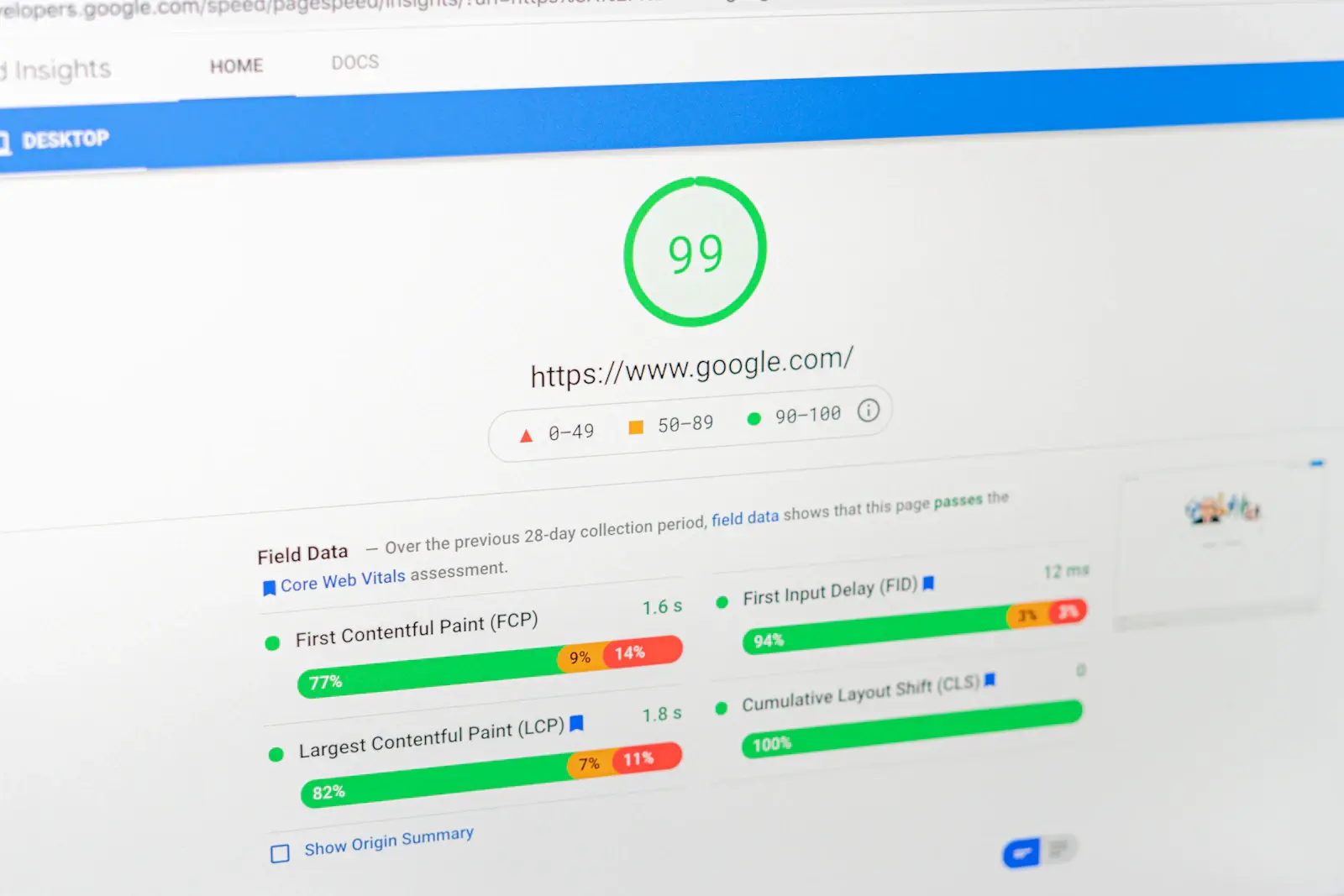
One rule when choosing a platform: look at speed. A slow store loses customers before the first click on a product. The minimum to check before launch is Core Web Vitals in Google PageSpeed Insights: LCP, INP and CLS. They help assess how fast the main content is displayed, how the website responds to user actions and how stable the layout is.
Step 4. Product Range and Content
Prepare your product database: names, SKUs, prices, photos and specifications. Write unique descriptions and don’t copy them from the supplier’s website. This is not only about SEO: customers will not trust a website with the same text as ten other stores.
What a product page should include:
- 4–8 high-quality photos, plus video for clothing and electronics;
- key specifications in a structured format;
- honest availability and delivery times;
- reviews and Q&A;
- a block with payment, delivery and return terms.
Step 5. Payment and Delivery
Connect payment methods that are convenient for your audience. For a Ukrainian store, these can be card payments, Apple Pay, Google Pay, cash on delivery or invoice payment for corporate customers.
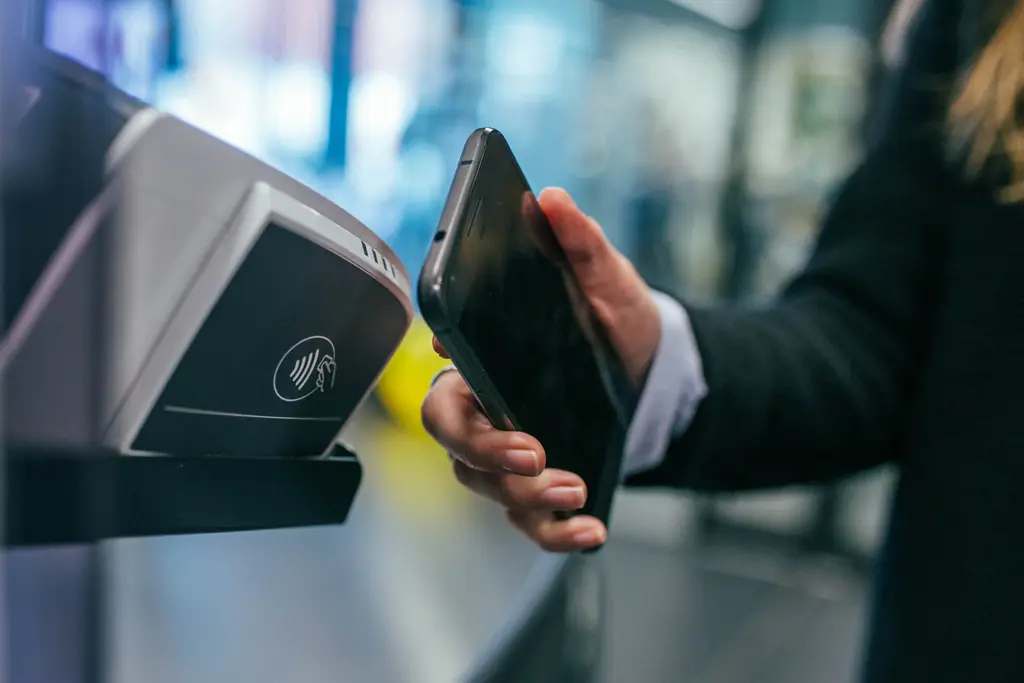
For delivery, stores usually start with Nova Poshta and then add Ukrposhta, couriers and pickup. Before launch, check the delivery cost calculation, waybill creation, order status updates and the return procedure.
Payment Systems and Security
To connect acquiring, you need to be registered as a sole proprietor (FOP) or an LLC. Online payments are accepted through bank internet acquiring and specialized payment services. In Ukraine, available solutions include LiqPay, plata by mono, Fondy, WayForPay, hutko and Portmone. The specific choice depends on the CMS, type of business, required payment methods and fees.
As of September 2026, the standard fee for accepting payments from Ukrainian bank cards was 1.3% with LiqPay and plata by mono, and 1.5% with hutko and Portmone, according to a comparison published by monobank. For foreign cards, LiqPay and plata by mono listed 2%. Current terms and service availability should be checked before connecting, as fees and promotions may change.
When choosing a payment provider, check:
- fees for accepting payments, payouts and refunds;
- how long it takes for funds to be credited;
- whether there is a ready-made module for your CMS;
- support for Apple Pay, Google Pay and installment payments;
- fiscalization, payment protection and refund options.
To protect data, use HTTPS and trusted payment widgets or the provider’s secure pages. Do not store card numbers and CVV codes on your own server. Also set up two-factor authentication for admin accounts, backups and regular updates.
Step 6. SEO
Search engine optimization takes time, so build it in from the start rather than after launch. What matters from the beginning:
- a catalog structure based on real search queries, not on the internal logic of the warehouse;
- unique titles and descriptions for categories and products;
- clean URLs, correct canonical addresses, filters without duplicates;
- a fast mobile website;
- Product markup, reviews and breadcrumbs.
Read our step-by-step guide on launching SEO for an online store to learn how to get started. If you have a large catalog with filters, pay attention to faceted navigation to avoid unnecessary duplicate pages and not waste crawl budget on low-value URLs.
Step 7. Advertising
Paid advertising helps attract customers even before the website builds up organic traffic. Online stores use Google Ads search campaigns, shopping ads, Performance Max and social media advertising.
To show Google shopping ads, you need to set up Merchant Center, submit product data and meet the platform’s requirements for the website and seller information. Ad campaigns should also receive correct data on conversions and order value.
Before launch, check prices, product availability and delivery and return terms. Discrepancies between the website and the product feed can lead to product disapprovals or limited impressions. If your account is suspended, your ads will stop, so read about the reasons for Google Merchant Center suspension before launching ad campaigns.
Step 8. Analytics
Connect Google Analytics 4, Google Search Console and a CRM to track the user’s path from the first visit to the order. If a significant share of sales happens by phone, add call tracking.
The following GA4 events are especially important for a store:
- view_item – product view;
- add_to_cart – adding to cart;
- begin_checkout – starting checkout;
- purchase – completed purchase;
- refund – refund.
Use this data to evaluate the conversion rate, average order value, revenue and customer acquisition cost. Compare the results with advertising spend, cost of goods and returns. This will help you determine which channels bring profitable orders.
Step 9. Service and Repeat Sales
After launch, it is important to set up fast order processing, consultations, delivery notifications and a clear return procedure.
For repeat sales, use email campaigns, loyalty programs, personalized selections and abandoned cart reminders. Such communications should take into account the customer’s consent and interests. Remember that a returning customer is cheaper than a new one, and in many niches it is repeat sales that bring the profit.
After launching the store, regularly analyze reviews, reasons for returns and support requests. This data helps improve the product range, service and purchase process.
How to Attract Traffic in E-commerce
A website without visitors doesn’t sell. In e-commerce, a set of channels works together, and each has its own speed and entry cost.

| Channel | Entry cost | Speed of results | Best for |
|---|---|---|---|
| SEO | Medium: website optimization, content, technical work | 3–6 months until noticeable growth | A steady flow of low-cost customers in the long term |
| Google Ads (Search, Shopping, Performance Max) | Depends on the niche and budget | Days | Fast sales, demand testing |
| SMM and Instagram | Content, targeting, influencers | Weeks | Visual products, brand, community |
| Email and messengers | Low once you have a database | Days | Repeat sales, carts, promotions |
| Remarketing | Low | Days | Bringing back those who have already visited the website |
| Marketplaces | Platform commission | Days | Quick start and testing |
SEO timelines depend on competition and the condition of the website. We don’t promise specific figures, because without an audit it would be guesswork.
SEO. The foundation of long-term traffic. For a store, this means optimizing categories, product pages, internal structure, speed and content. Learn more in our guide to SEO for e-commerce. If your store needs comprehensive optimization, the LuxSite team can help with SEO promotion.
Paid search advertising. The main formats for a store are search ads for commercial queries, Google Shopping and Performance Max. The latter combines all Google placements in one campaign but doesn’t suit everyone: in our article who Performance Max is for and who it isn’t for, we look at examples by niche.
SMM. Social media helps showcase products, answer questions and build trust in the brand. For clothing, cosmetics, decor and other visual products, reviews, videos of the product in use, customer testimonials and Meta Ads campaigns are useful.
Email and messengers. Suitable for communicating with existing customers: order notifications, abandoned carts, personalized selections, reminders and loyalty programs. It is a cheap channel, but you need a customer database and a CRM.
Remarketing. Lets you reach users again who viewed products or added them to the cart but did not complete the purchase. This is done with Google Ads and Meta Ads audiences, taking privacy requirements into account. The practical aspects of the setup are described in our article on remarketing.
Recommendation for the start: don’t spread yourself too thin. Choose one fast channel (advertising) and one long-term channel (SEO), and add remarketing and email. Connect the rest once the first channels are working steadily.
E-commerce Trends 2026
In 2026, online retail is changing under the influence of AI search, automation and new ways of interacting with customers. For stores, this means keeping product data up to date, simplifying checkout and adapting content to different search channels.
AI search and AI-assisted shopping. People increasingly start choosing products with chatbots and AI overviews in search. Stores need their products to be structured, with clear descriptions and specifications. Learn more in our article on AI trends for e-commerce.
Personalization. “Frequently bought together” recommendations, individual selections and behavior-based emails. For a small store, the basics are enough: segment customers by purchase category and send relevant emails.
Fast checkout. One-click payment, Apple Pay, Google Pay and saved details. Every step removed increases the chance of completing an order, but the effect of changes should be checked against the conversion rate.
Video content. Short reviews, product demonstrations and video testimonials help evaluate a product before buying. For example, for sportswear it is useful to show the fit and material, and for household appliances, how the device works. Such content is used on product pages, Instagram Reels, TikTok and YouTube Shorts. Practical tips on creating video content are collected in our guide to Reels for business.
Zero-click and AI overviews. Users get some information without visiting the website, directly from Google results or AI answers. That is why it is important for a store to maintain brand awareness, accurate product data and visibility for commercial queries.
A trend does not replace the basics. First a fast website, clear terms and honest service, and only then experiments.
Common Beginner Mistakes in E-commerce
Even with sufficient demand, an online store can operate at a loss because of mistakes in planning, website setup or marketing. Most often, watch out for the following situations:
- Launching without calculating the margin. People forget about commissions, returns, advertising and packaging. The store sells but earns nothing.
- Copying supplier descriptions. The website looks like hundreds of others and ranks poorly.
- Complicated checkout. Mandatory registration, 15 form fields and an unexpected delivery cost at the end.
- A slow mobile website. Heavy images, unnecessary scripts, weak hosting.
- No analytics. Owners don’t know what works, so they increase advertising at random.
- Advertising without a prepared website. The traffic is paid, but the pages are not ready to convert it.
- Postponing SEO until “better times”. Later it turns out that the catalog structure is built incorrectly and has to be redone.
- Poor service. A manager replies a day later, return terms are hidden.
- Dependence on a single channel. One rule change, and sales drop.
- Violating platform requirements. A feed with errors, inaccurate prices, missing return terms: the Merchant Center account gets suspended.
To avoid such situations, check whether the store is ready for launch: from unit economics to checkout and analytics.
Online Store Launch Checklist
Use this list before opening the store or launching your first ad campaign. It will help you check whether the main processes are ready to accept and fulfill orders. Mark what has been done.
Strategy
- Demand and competitors have been checked
- Margin and break-even point have been calculated
- A model has been chosen: B2C, B2B, D2C, dropshipping
- The target audience has been defined
Website
- A platform has been chosen
- Responsive design tested on a phone
- Loading speed checked in PageSpeed Insights
- HTTPS is enabled
- The catalog has a clear structure and filters
Content
- Unique product descriptions
- High-quality photos and specifications
- Pages: delivery and payment, returns, contacts, about us, public offer
Payment and Delivery
- Acquiring is connected, with at least two payment methods
- Integration with Nova Poshta and other carriers is set up
- Terms of sale and privacy policy are in place
Marketing and Analytics
- GA4 and e-commerce events are set up
- Search Console is connected
- CRM and call tracking are set up
- Basic SEO optimization is done: title, description, markup
- A feed for Google Merchant Center is prepared
- Test ads and remarketing are running
Service
- Contact channels are available: chat, phone, messenger
- Order and abandoned cart emails are set up
- Rules for processing orders and returns are defined
LuxSite Experience: How SEO and Advertising Help Increase E-commerce Sales
An online store’s performance depends not only on its product range and website usability. Potential customers need to find the products in search, and the advertising budget needs to bring orders. This is clearly seen in the examples of LuxSite clients.
SEO: +90% Users for a Carpet Online Store
While working with Eurocarpet, the LuxSite team faced low website visibility for commercial queries: priority keywords were outside Google’s TOP 50.
Our specialists carried out SEO optimization, focusing on the website’s technical condition, structure and commercial pages. As a result, the number of users grew by 90%, and the store improved its search visibility and sales. Learn more in the Eurocarpet SEO case study.
Google Ads: Over 9,700 Purchases for Flora Shop
The Flora Shop seedling online store came to LuxSite with the goal of increasing online sales. One of the problems was incorrect transmission of purchase and revenue data from the Horoshop platform.
The team set up Google Ads campaigns, optimized the product feed and tested promotion strategies taking seasonal demand into account.
Result: over 9,700 online purchases and a ROAS of 509%. This means that every hryvnia of advertising spend generated about 5.09 UAH of revenue attributed to advertising. We described the actions that drove growth in the Flora Shop advertising case study.
These examples show different approaches to developing e-commerce. SEO helps attract customers through organic search, while Google Ads works with demand through paid ads. The choice of channels and their combination depend on the store’s niche, budget and business goals.
Conclusion
E-commerce is not just a website with a shopping cart. It is a system of storefront, payment, logistics, marketing and service. In 2026, the Ukrainian market shows different dynamics across product categories: in some, the number of orders is growing, in others mainly the average order value. The winners are those who know their niche well, calculate their margin and work on traffic and repeat sales.
What to do after reading:
- Choose a model and test the demand for your product.
- Calculate the economics: margin, commissions, advertising, returns.
- Choose a platform and connect payment and delivery.
- Build in SEO and analytics from day one.
- Launch advertising and remarketing, then optimize based on data.
If you want to go through this path faster and without costly mistakes, our team is ready to help: from audit to promotion. Learn more about our online store marketing services or write to us, and we will prepare a plan for your project.
Want to improve your store’s online promotion? Submit a request for online store marketing.
FAQ
What is e-commerce?
E-commerce, or electronic commerce, is the buying and selling of goods or services over the internet. A customer chooses a product on a website, in an app, on a marketplace or on social media, pays online or on delivery and receives the order. This includes online stores, marketplaces, online services and digital products.
What is the difference between e-commerce and e-business?
E-commerce is only buying and selling online. E-business is broader and includes all company processes that work in a digital environment, such as CRM, document management, online procurement and internal systems. So e-commerce is part of e-business, not a synonym for it.
What e-commerce models are there?
The main models are B2C (business sells to consumers), B2B (business sells to business), C2C (consumers sell to each other), C2B (a consumer offers services to a business) and D2C (a manufacturer sells directly to customers). Dropshipping, mobile commerce and social commerce are distinguished separately as sales formats.
How much does it cost to launch an online store in Ukraine?
The cost depends on the platform, design, number of products, integrations and marketing. You can launch on a ready-made SaaS solution with a minimal budget or order custom development. Separately, you need to budget for purchasing goods, advertising and delivery. The exact amount is determined after analyzing the requirements. Development cost guidelines can be found in our article on website pricing.
Which is more profitable: a marketplace or your own website?
It depends on the stage. A marketplace gives you a quick start and a ready-made audience, but it takes a commission and gives you no control over the customer. Your own website costs more at the start, but gives you a brand, data and a higher margin in the long term. The best strategy for most businesses is to start with a marketplace and build your own store in parallel.
What is D2C?
D2C (direct to consumer) is a sales model in which a manufacturer or brand owner sells products directly to end customers, without independent retail intermediaries. This makes it possible to control pricing, product presentation and communication with customers. However, the company finances marketing on its own, organizes order fulfillment and is responsible for service.
How do you promote an online store?
Combine channels: SEO for long-term traffic, paid search and Google Shopping for fast sales, remarketing to bring visitors back, email and messengers for repeat purchases, and SMM for the brand. First set up analytics so you can see the return on each channel and reallocate the budget in time.