GBP Manager
Our team runs this many listings in the service.
Each client sees their listings, reports, and team progress in a dedicated dashboard.
We started back with Google Places, long before Google My Business.
Clients grant access via Google through a one-time link.
If any of these sound familiar, your team spends time on routine work instead of results for clients.
How much time is wasted switching between accounts?
To reply to a review, you must log into a different account every time. This slows down client work.
How long does it take to prepare a client report?
Specialists manually copy data from screenshots and spreadsheets. Comparing metrics with the previous month becomes difficult.
Why does historical Google performance data disappear?
Google displays metrics only for recent months. Older data vanishes, making year-on-year comparison impossible.
When do you notice a new negative review?
Without fast alerts, complaints can go unnoticed for days. Delayed responses damage brand reputation.
Managing listings by hand or with GBP Manager
What changes for your team:
The service takes care of routine work and saves historical statistics daily. Specialists reply to reviews and generate reports without account switching or spreadsheets.
With GBP Manager
- All reviews across all listings in a single feed.
- PDF or shareable link reports generated in the service, no screenshots or spreadsheets needed.
- Daily performance history is saved and available for any period.
- Instant Telegram alerts for negative reviews.
- Data updates are sent to dozens of listings simultaneously.
Manually
- You must constantly switch Google accounts for each client.
- Reports are compiled manually from screenshots and spreadsheets.
- Historical Google performance data disappears after a few months.
- A new negative review might only be noticed several days later.
- Opening hours, phone numbers, or photos must be edited on each listing individually.
The service operates via Google OAuth authorization without passwords. Clients can revoke access at any time.
Google shows performance data for recent months only. The service stores data daily, so year-on-year comparison is always available.
Generate PDFs or share a live link without granting dashboard access. Clients see position dynamics, completed tasks, and key insights.
Every feature stems from our own hands-on work with client listings. Today, we manage 192 listings daily in the service.
Everything you need for daily listing management in a single dashboard.
Review management
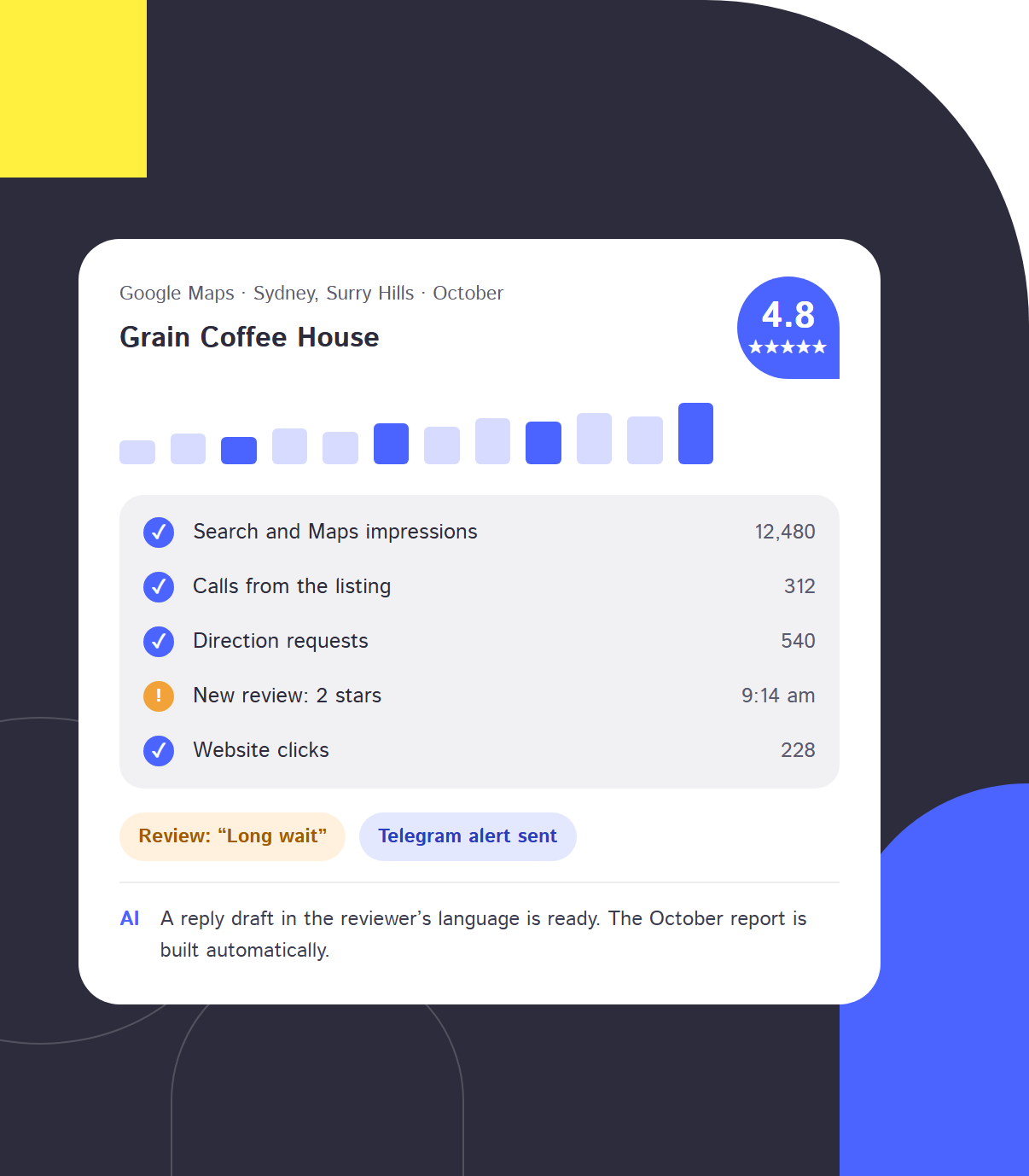
All reviews from all listings in one feed. AI suggests 2 to 3 response options in the language of the review, and Telegram alerts notify you about new negative feedback.
Analytics and rankings
Views, calls, directions, website visits, CTR, and listing positions in Google Maps for targeted queries. The service re-checks data for the last 35 days every day, so the numbers match Google.
Data history retention
Statistics are recorded daily and stay available over time. This allows you to compare performance with past periods and previous years.
Client reports
Generate a PDF report or share an interactive link that needs no dashboard login. Reports include performance trends, Map rankings, and completed tasks.
Bulk edits for listings
Update phone numbers, hours, names, descriptions, or photos across dozens of listings at once. Only the fields you modified are sent to Google.
Creation and verification
Create new listings directly in the platform, choosing the country and language. Verification is available via postcard, phone call, SMS, email, or automatically.
Post publishing
Publish or schedule posts with photos and action buttons across multiple listings at once. AI creates distinct text variations so Google does not flag duplicate content.
Reviews for your website
A website widget collects reviews from Google and your site with structured data markup. Visitors with high ratings are prompted to leave a review on Google.
GBP Manager tailored to your industry
1
Digital agencies
Client access has to stay separate and reports regular. The service provides a dedicated dashboard for each client and compiles reports automatically.
2
Chains and franchises
Dozens of branches need to be managed from one place. You can update working hours or photos across all locations at once.
3
Healthcare and dental clinics
Patients expect a quick reply, and every complaint needs to be seen. Telegram notifications for negative reviews help you respond on the same day.
4
Auto repair and services
Calls, directions and website visits need to be tracked for every branch. The service provides detailed metrics and Google Maps positions.
5
Restaurants and hospitality
Guests frequently leave reviews during evenings and weekends. Negative feedback triggers a Telegram alert, and AI drafts a reply in the guest’s language for immediate action.
6
Retail, salons, education
Posts need to go out regularly, and holiday hours have to be updated on time. The service publishes posts across all locations simultaneously, while AI generates unique copy variants to avoid duplicate content flags from Google.
What tasks GBP Manager solves
GBP Manager handles daily tasks for your Google Business Profile listings (formerly Google My Business). Connect all locations via the official API without sharing passwords, while stats and reviews from all your profiles gather in one dashboard. If you still manage each location separately, you can skip that manual step now.
Agency
Agencies link clients’ Google Maps listings using a single invitation link and manage team access. Specialists view their assigned projects, while clients monitor progress without extra calls or emails.
- Clients get a dedicated dashboard with their branches, showing completed tasks and specialist notes.
- Reports export as PDF files or shareable links without login, in English or Ukrainian.
- Managers assign team members to specific clients.
- Embed a review block with structured schema markup directly on the client’s website.
Chain or franchise owner
Manage all branches in one dashboard without switching between accounts. Track location health and year-on-year performance using daily historical data.
- Update business names, phone numbers, opening hours, categories, descriptions, and photos across dozens of listings at once.
- Track impressions, calls, direction requests, website visits, CTR, and Health Score for each location.
- Monitor search queries and positions in Google Maps for selected keywords.
Marketer or SMM manager
Google reviews from all branches aggregate into one stream, saving time on posts and replies.
- Get a Telegram alert whenever a new negative review appears.
- AI suggests 2-3 response options in the language of the review.
- Schedule posts across multiple listings while AI adjusts the copy for each location.
An active profile with quick review replies, fresh photos, and accurate business hours powers your local SEO: Google Maps listings are where calls and visits to your locations come from.
Більше
How to get started
Setup requires no passwords: clients grant access via Google using a one-time link.
Submit a request at gbp-manager.app. Once approved, your agency gets a free trial period.
Add the client in the agency dashboard. Generate a one-time authorization link.
The client opens the link and grants access via Google. Account passwords are never shared.
Respond to reviews, perform bulk edits, and generate reports. From then on, performance history is saved every day.
Google reviews on your client’s website
The widget displays reviews from Google and the website, overall ratings, and schema markup for search engines. Visitors who leave 4 or 5 stars are prompted to post a review on Google too. Available as a plugin or single line of code for WordPress, OpenCart, Symfony, or Laravel.
Our full range of services
LuxSite services for end-to-end marketing:

GBP Manager, Google Business Profile dashboard, and spreadsheets: comparison
| Criterion | GBP Manager | Google Business Profile dashboard | Spreadsheets and screenshots |
|---|---|---|---|
| Multiple clients and branches | All clients and branches in one dashboard, each with dedicated access | Listings you were granted manager access to | Separate file or tab for each client |
| Reviews and replies | Unified review feed for all listings with AI response drafts | Replies must be written on each listing separately | Responses must still be published directly in Google |
| Historical statistics | Saved daily, year-on-year comparison is always available | Limited timeframe, older performance data disappears | Only data that was manually copied |
| Client reporting | PDF or shareable link with completed work and key insights | No ready-made client reporting | Screenshots and spreadsheets compiled manually by specialists |
| Bulk updates across listings | Dozens of listings at once, with only changes sent to Google | Mostly one listing at a time | Not applicable |
| Multi-listing posting | Scheduled posting with unique text variations for each listing | Individually on each listing | Not applicable |
| Client access | Dedicated dashboard containing only their listings and reports | Direct access to the listing without work progress reports | Report files sent via email or messaging apps |
An experienced team of professionals









Do I need Google account passwords?
No passwords needed. The client opens a single-use link and grants access via the official Google login service. Access can be revoked at any time in account settings.
Where does the data come from and does it match Google?
Data is fetched via the official Google Business Profile API. Google updates statistics with a delay of a few days, so the platform re-syncs data for the last 35 days daily.
What does the client see in their account?
Clients see only their own listings, statistics, reports, and completed task lists. They cannot view data from other agency projects.
Is it suitable for one company with multiple branches?
Yes, the tool is designed for franchises and chain businesses. You can bulk edit details, publish posts, and track reviews for all locations in one place.
How many listings can I connect?
From one to several hundred. The trial period covers up to 100 listings, after which limits depend on your plan and can be expanded.
What happens when the trial period ends?
When the free period ends, all connected listings, stats, and reports remain saved. Your dashboard switches to view-only mode until you choose a plan.
Can I try the service for free?
Yes. After request approval, agencies receive a free trial period. You can also audit a Google Maps listing right now: a free 1-minute audit is available on the website.
Who can see my data?
Only your team can see your data, and each client sees only their own listings. We do not sell or share your data. The AI provider receives only review text to generate response drafts.
